Sorry, we didn't find any relevant articles for you. Please fill out the contact form below and we will reply as soon as possible. Your email Your question Description (details)
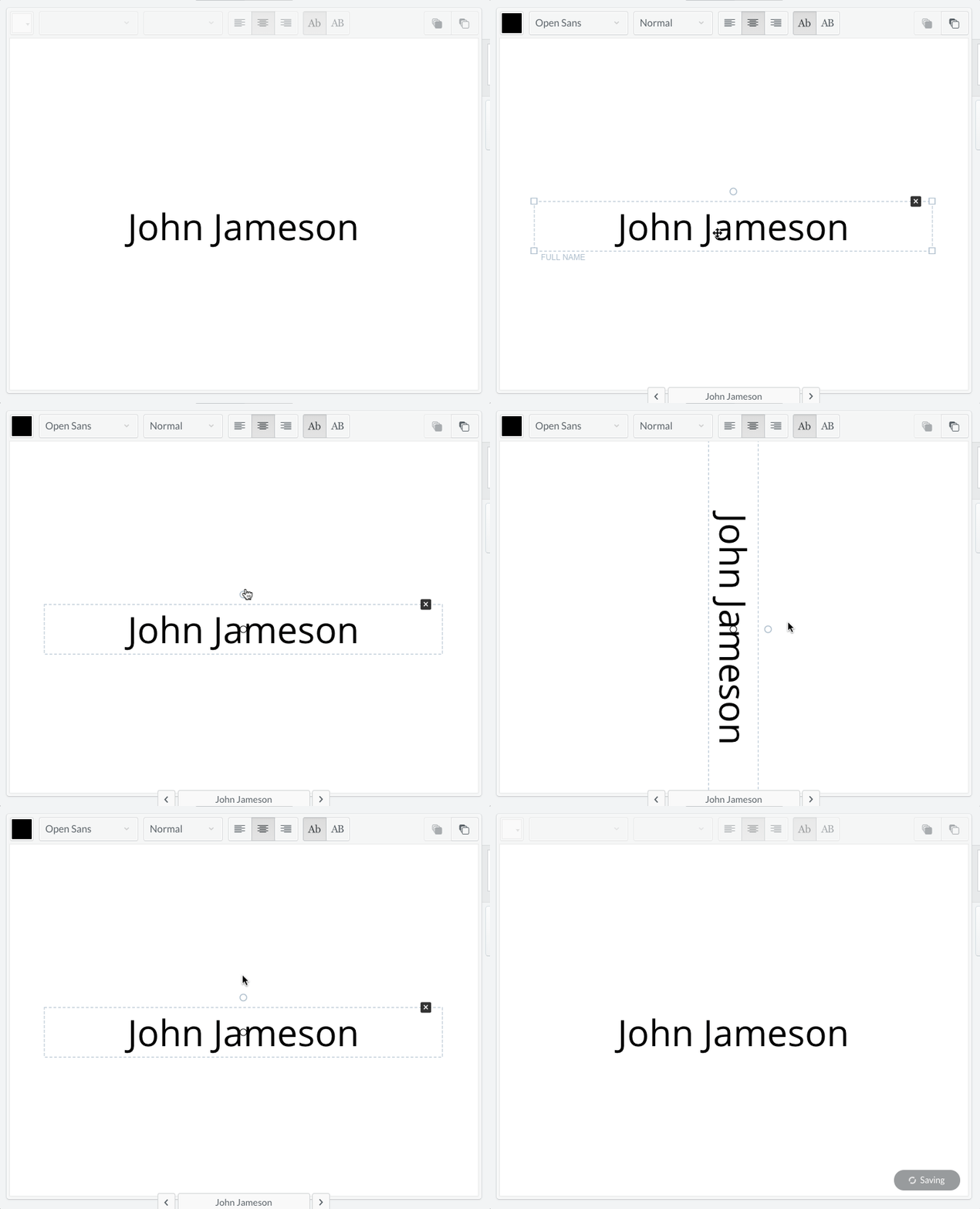
Table of Contents How to rotate an element? How to rotate an element? 1. Click once on the element you wish to rotate 2. Click and hold the small circle and rotate freely ___________________________________________________ Related Questions: How can I save my work? Everything you do on Conference Badge is automatically saved. You...… How much do pdf badges cost? PDF badges are USD $0.39 each. Back to print...… How to add attendee pictures? While you cannot import different images per name badges per...…